Hide Pins and Privacy
Hide pins for your personal view and reduce on-screen detail during presentations.
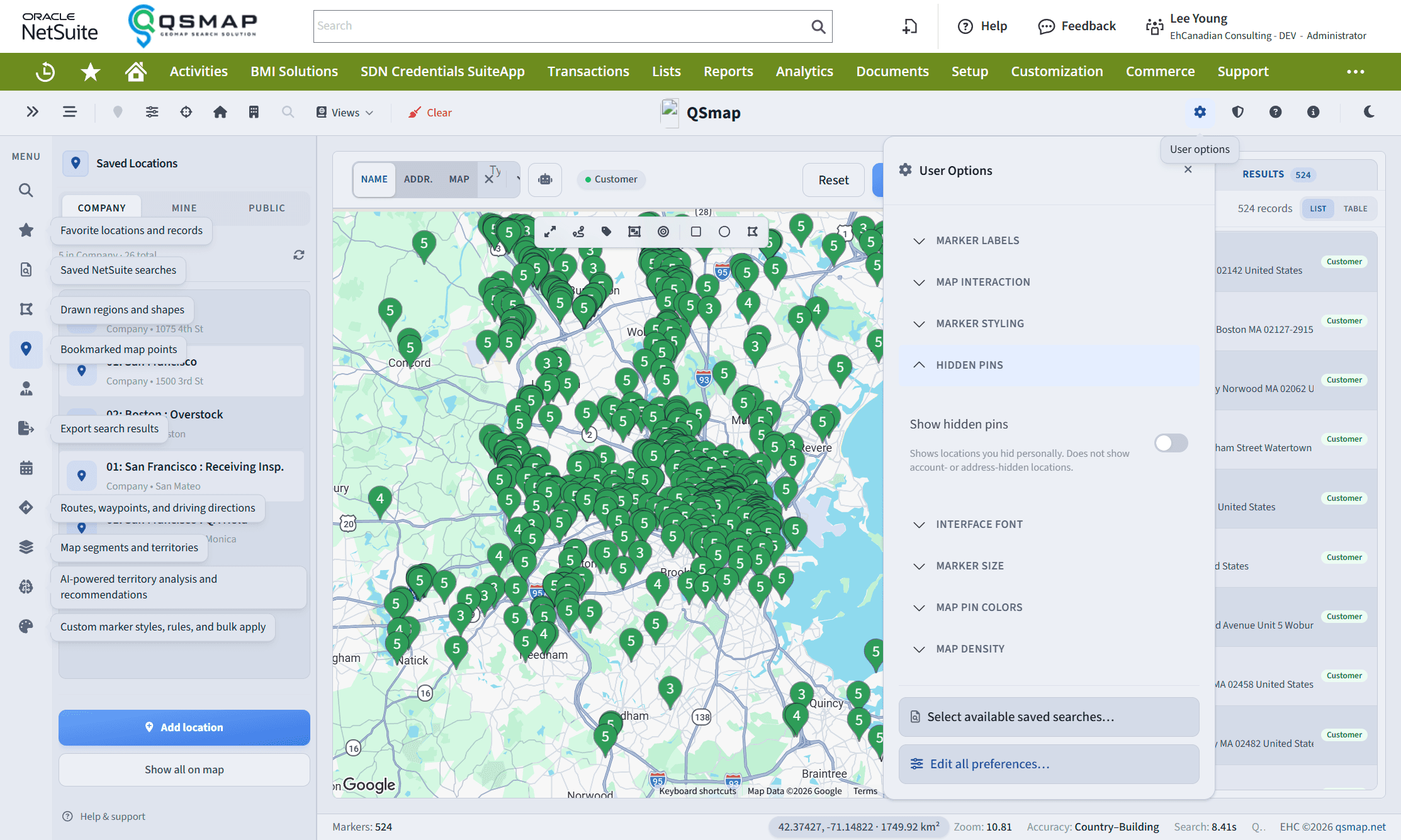
Hide pins
Hide individual markers from your map view when you need less clutter (test accounts, out-of-territory records, and so on).
- Hiding is stored on your NetSuite user preferences—it does not hide pins for teammates.
- Use marker detail / context actions (right-click or panel actions, depending on build) to hide or unhide.
Presentation privacy
Options can reduce sensitive on-screen detail when you share your screen or present. Enable presentation-oriented privacy settings in Main Options before a demo.
Legacy “Lock Pins”
Older QSmap builds offered Lock Pins. Modern React QSmap focuses on hide pins and preference-based decluttering instead. If you still rely on lock-pins behavior from a legacy UI, talk to support about your upgrade path.
Hidden pins follow your NetSuite user record. They are not a substitute for NetSuite permissions—users who can open a record in NetSuite may still access it outside the map.
Related