Mapping
Directions
Plan multi-stop routes, share by email or SMS, and export waypoint data.
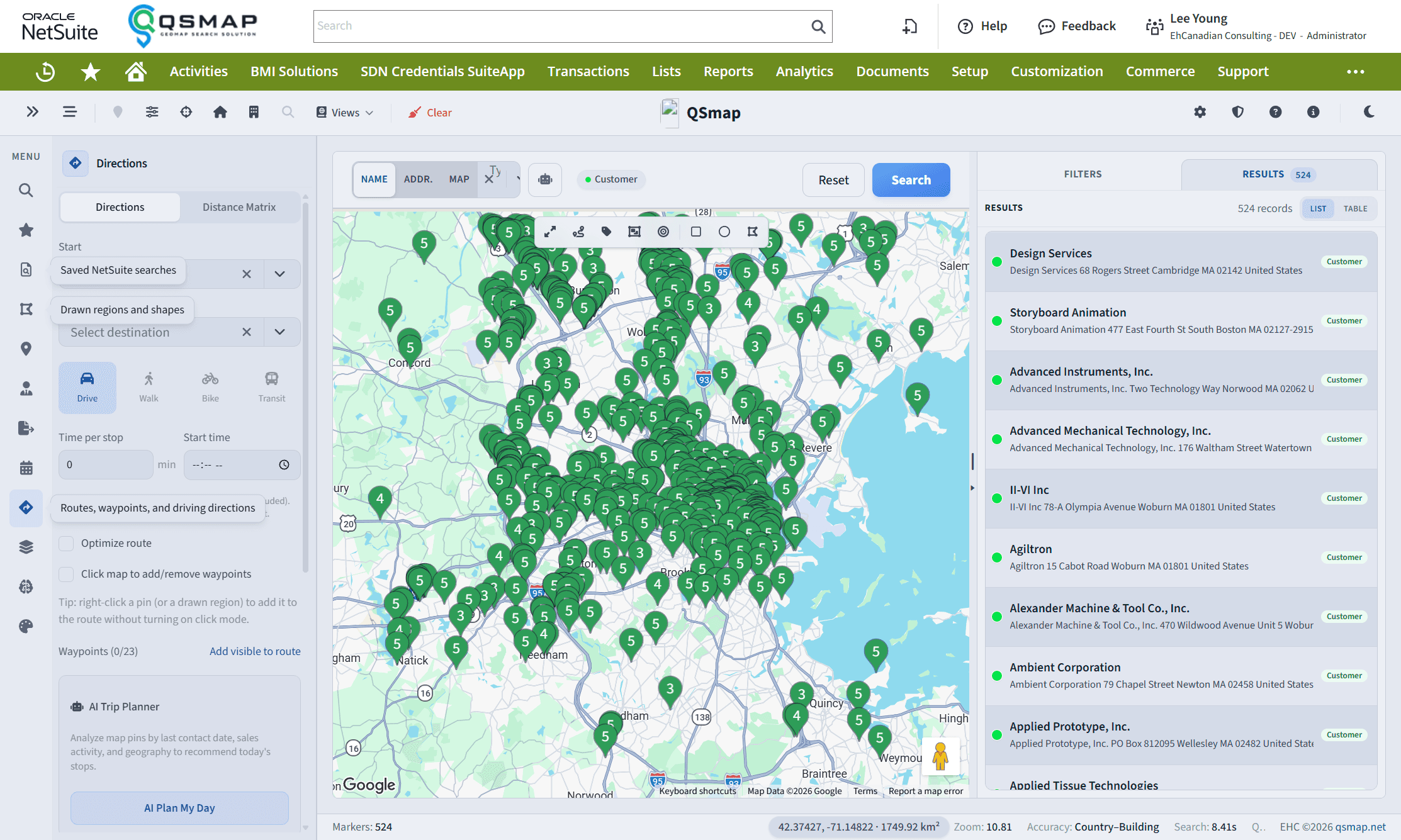
The Directions panel builds driving routes across stops on the map.
Typical workflow
- Open Directions.
- Add start, stops, and destination from map results or search.
- Calculate the route before sharing when possible—QSmap can fill better street addresses after routing.
- Review the route on the map and in the detail panel.
- Email or SMS the route, or export CSV when you need waypoint data outside NetSuite.
Sharing and exports
- Emailed routes include available street addresses for intermediate stops (not only start/end).
- CSV exports from directions include richer waypoint fields for field teams or external tools.
- Save / update / delete and send actions use in-app notifications instead of browser alerts.
AI trip planner
When your organization has the required NetSuite capabilities configured (for example Latest Sales Activity where applicable) and AI is enabled, additional AI-assisted trip planning may appear. Ask your admin if you expected it and do not see it.
Address completeness depends on NetSuite address data and Google Maps geocoding. Calculate the route before emailing for the best waypoint addresses.
Related